
Radial conductivity#
Here a simple example using the parameter class and showing a simple adjustment (fitting process) on the water outgoing flux given in the parameters file parameters.yml.
[1]:
from openalea.hydroroot.main import hydroroot_flow, root_builder
from openalea.hydroroot.init_parameter import Parameters
from openalea.hydroroot.read_file import read_archi_data
from openalea.widgets.plantgl import PlantGL # notebook viewer 3D
from openalea.plantgl.algo.view import view # 2D view
from openalea.hydroroot.display import mtg_scene
Reading the input parameters file#
[2]:
parameter = Parameters()
parameter.read_file('parameters.yml')
Reading the architecture file and building the MTG#
[3]:
fname = parameter.archi['input_dir'] + parameter.archi['input_file'][0]
df = read_archi_data(fname) # replace 3 lines in example_parameter_class.ipynb
building the MTG from the dataframe df#
the output is the mtg, the primary root length, the total length and surface of the root, and the seed for the case of generated root here unsed
[4]:
g, primary_length, total_length, surface, seed = root_builder(df = df, segment_length = parameter.archi['segment_length'],
            order_decrease_factor = parameter.archi['order_decrease_factor'], ref_radius = parameter.archi['ref_radius'])
Performing the#
Two steps:
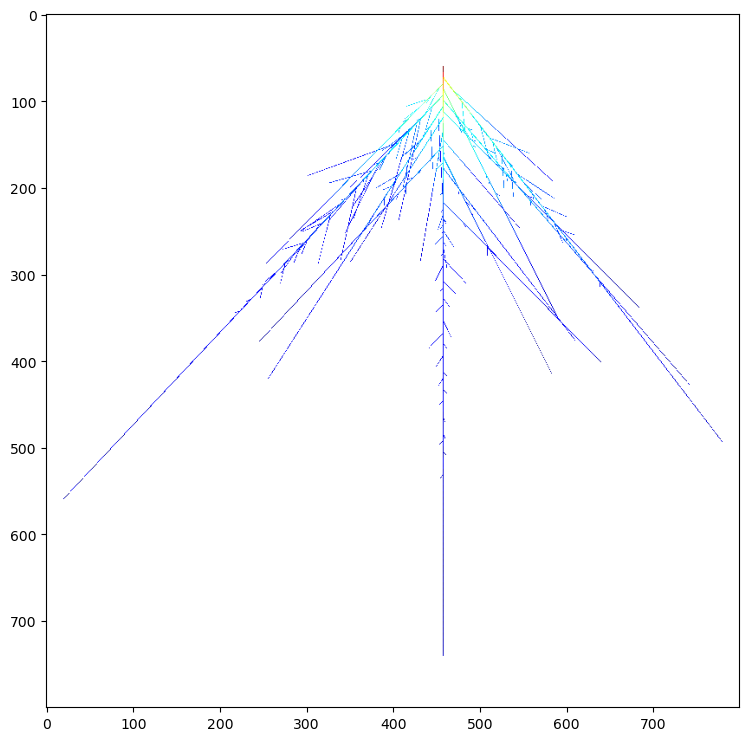
1st run with conductivities given in parameters.yml and display water uptake before adjustement
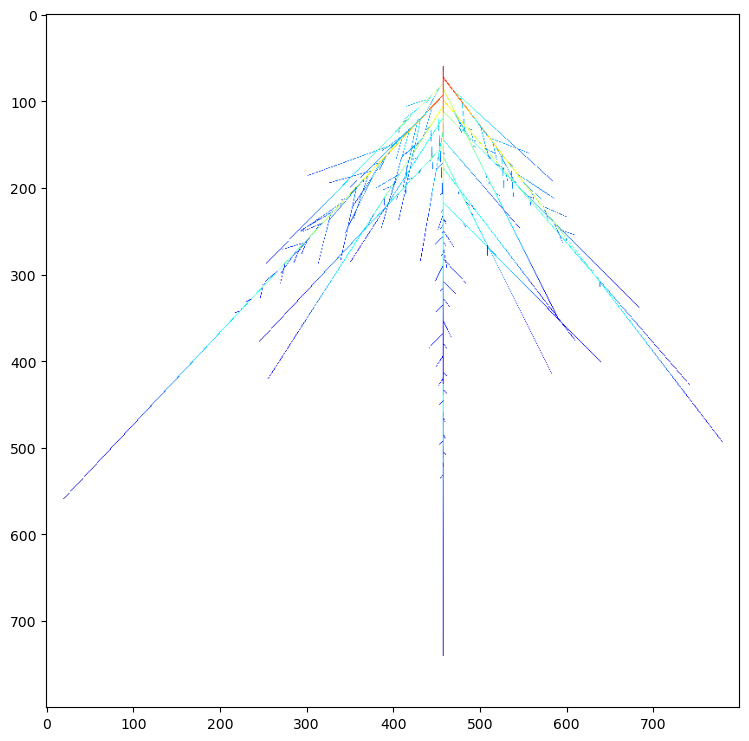
2d the adjustment of k0 to fit parameter.exp[‘Jv’], done with a very simple Newton-Raphson loop.
[5]:
axial_data = parameter.hydro['axial_conductance_data']
k0 = parameter.hydro['k0']
radial_data = ([0.0,0.2], [k0,k0]) # 1st list dist. to tip in cm, 2d list radial conductivity in microL/(s.MPa.m**2)
g, Keq, Jv = hydroroot_flow(g, segment_length = parameter.archi['segment_length'], psi_e = parameter.exp['psi_e'],
                            psi_base = parameter.exp['psi_base'], axial_conductivity_data = axial_data,
                            radial_conductivity_data = radial_data)
to reduce notebook size we use here a 2D view but you can use the openalea.widgets PlantGL(s) to display an interactive 3D view
[6]:
s = mtg_scene(g, prop_cmap = 'j') # create a scene from the mtg with the property j is the radial flux in ul/s
view(s) # use PlantGL(s) to display in 3D
The adjustement is done by a simple Newton-Raphson scheme
[7]:
k0_old = k0
F_old = (Jv - parameter.exp['Jv'])**2.0 # the objective function
k0 *= 0.9 # to initiate a simulation in the loop to compare with the previous one
eps = 1e-9 # the accuracy wanted
F = 1. # to launch the loop
# Newton-Raphson loop to get k0
while (F > eps):
    radial_data = ([0.0,0.2], [k0,k0])
    g, Keq, Jv = hydroroot_flow(g, segment_length = parameter.archi['segment_length'], psi_e = parameter.exp['psi_e'],
                                psi_base = parameter.exp['psi_base'], axial_conductivity_data = axial_data,
                                radial_conductivity_data = radial_data)

    F = (Jv - parameter.exp['Jv']) ** 2.0 # the objective function

    if abs(F) > eps:
        dfdk0 = (F - F_old) / (k0 - k0_old) # the derivative of F according to k0

        k0_old = k0

        k0 = k0_old - F / dfdk0 # new estimate
        while k0 < 1.0e-3:
            k0 = 0.5 * k0_old

        F_old = F
Results#
[8]:
print('experimental Jv: ', parameter.exp['Jv'], 'simulated Jv: ', Jv, 'adjusted k: ', k0)
experimental Jv: 0.00723 simulated Jv: 0.007259718594573797 adjusted k: 48.09970642909217
[9]:
s = mtg_scene(g, prop_cmap = 'j') # create a scene from the mtg with the property j is the radial flux in ul/s
view(s) # use PlantGL(s) to display in 3D
[ ]: